Checklist
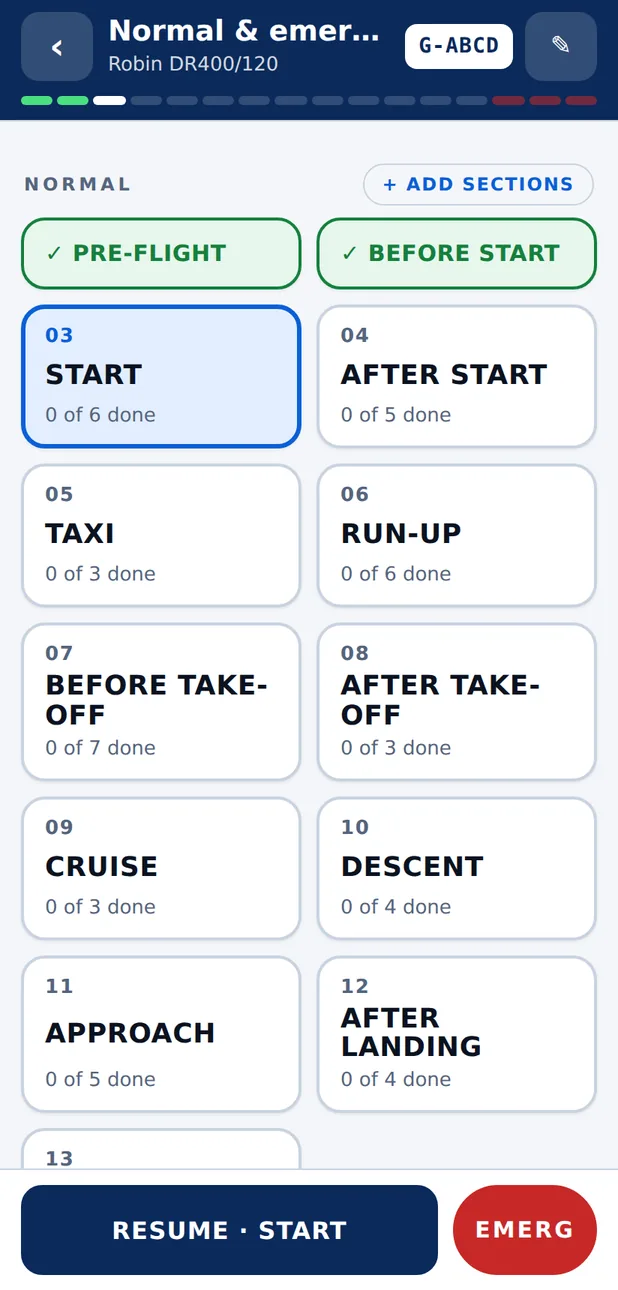
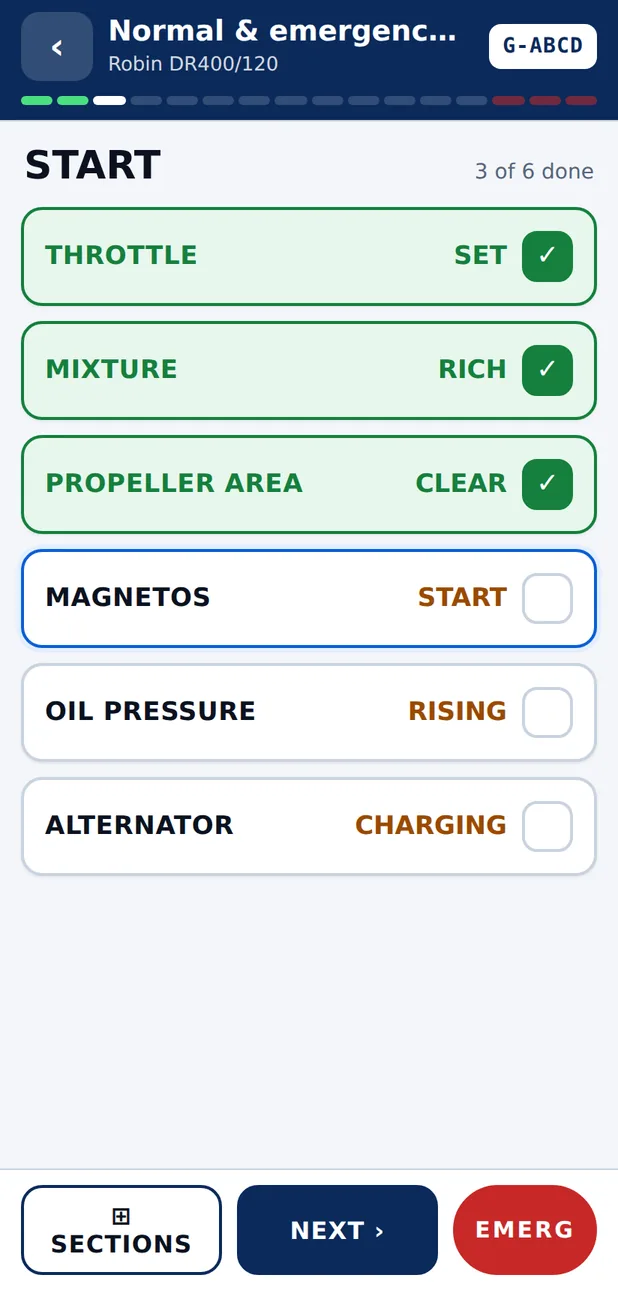
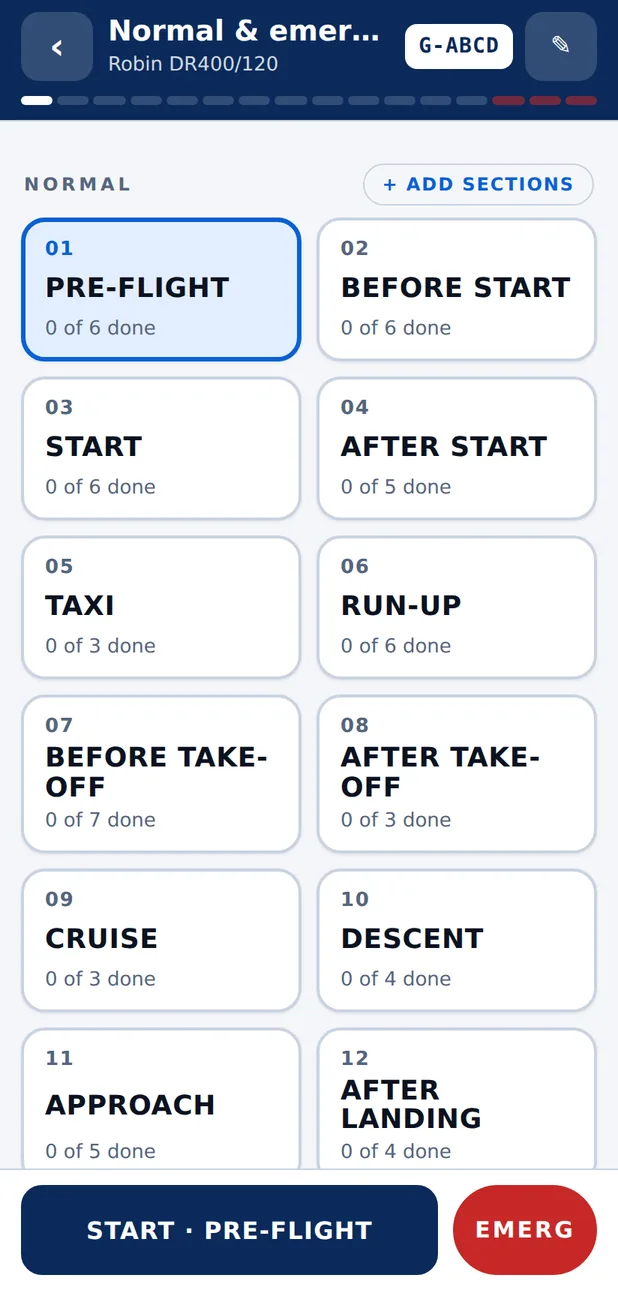
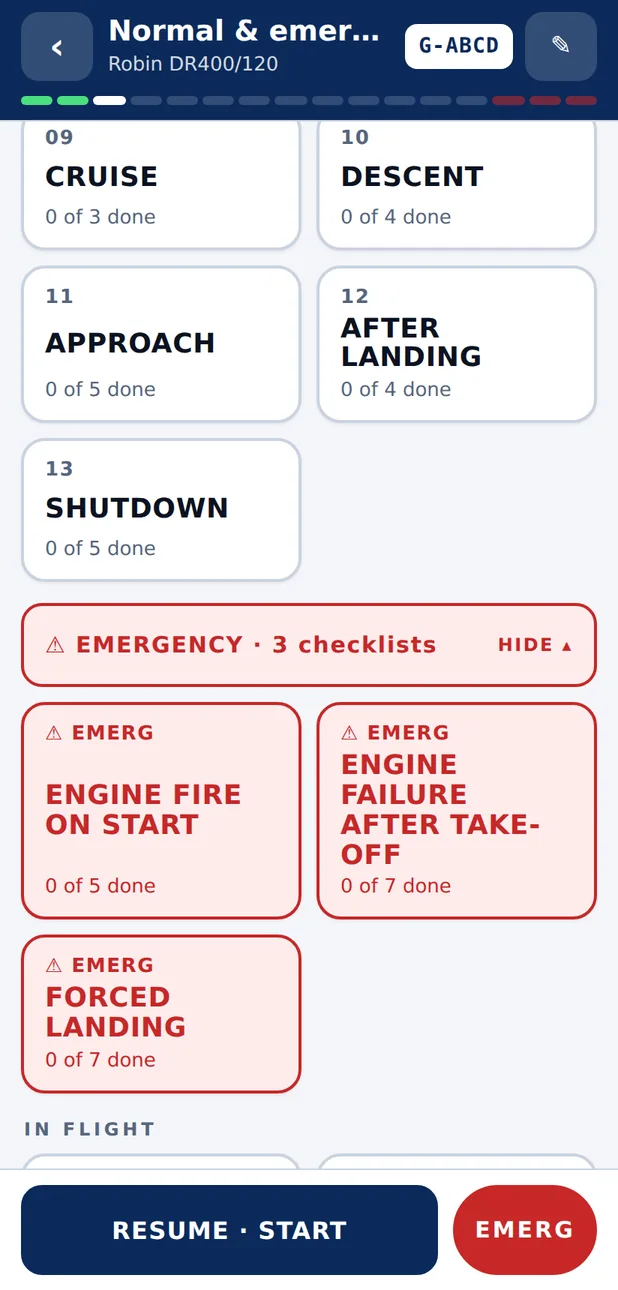
Your own checklists on your phone, laid out for one-handed use in the cockpit. Big tiles for each phase of flight, a red EMERG button on every screen, and it works with no signal.
£6.99 once. No subscription. 14 day refund.
A memory aid. Your aircraft's flight manual is the authority.
The screens
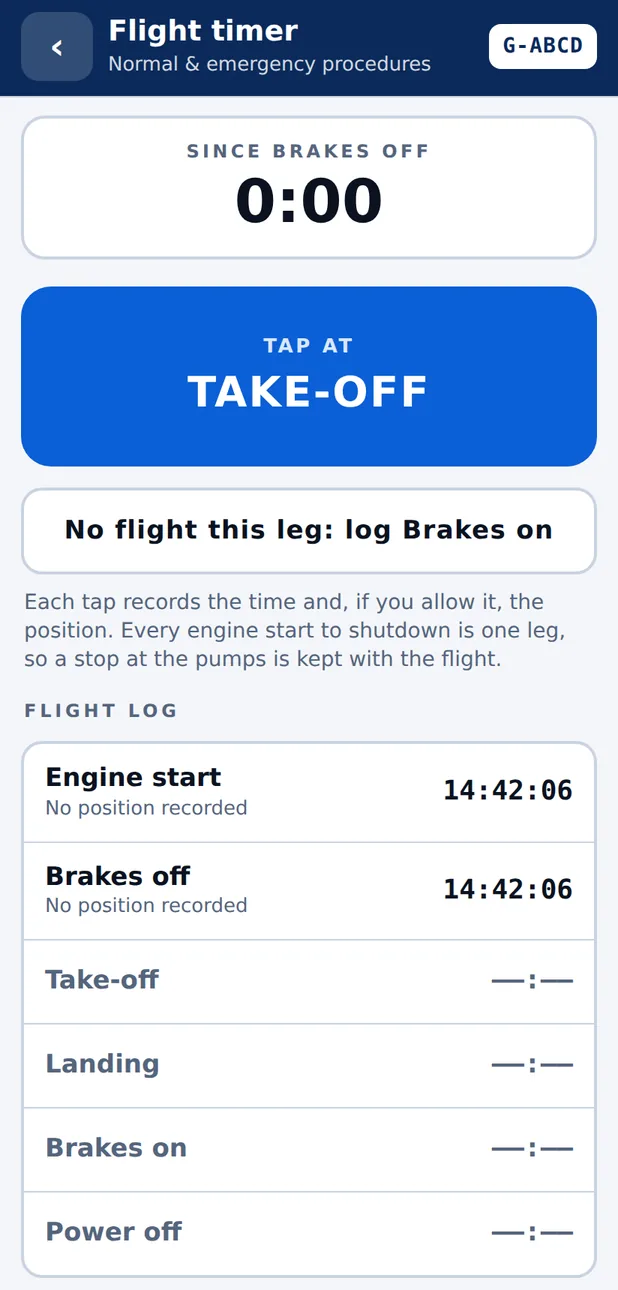
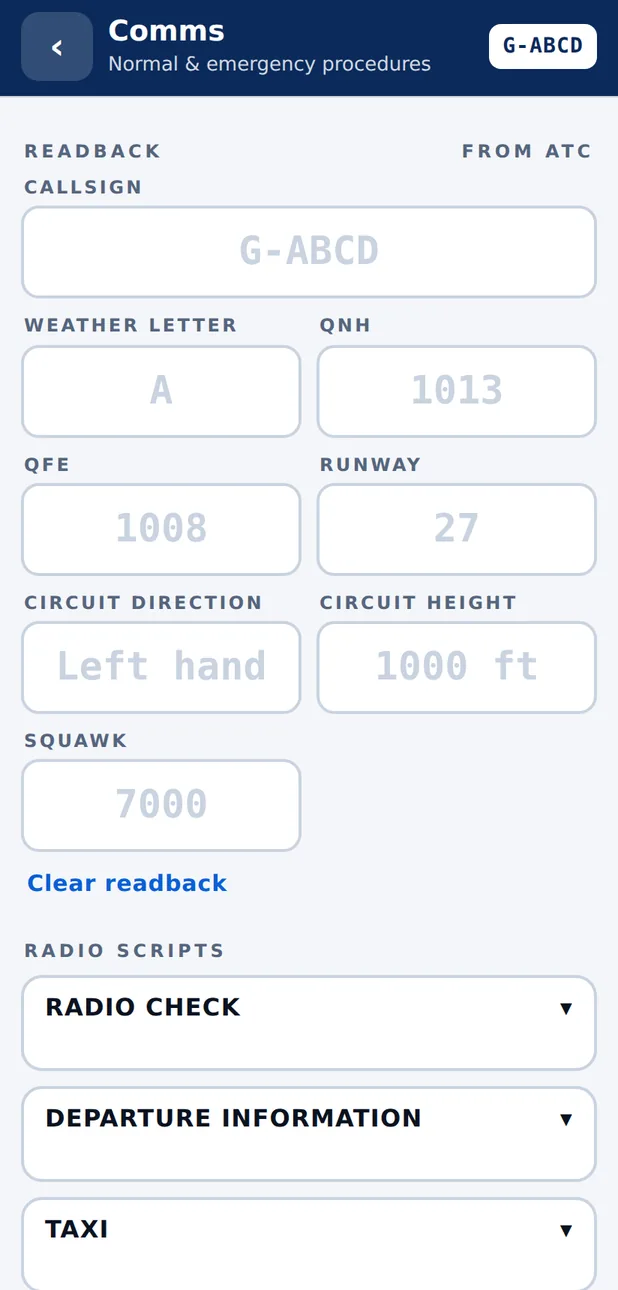
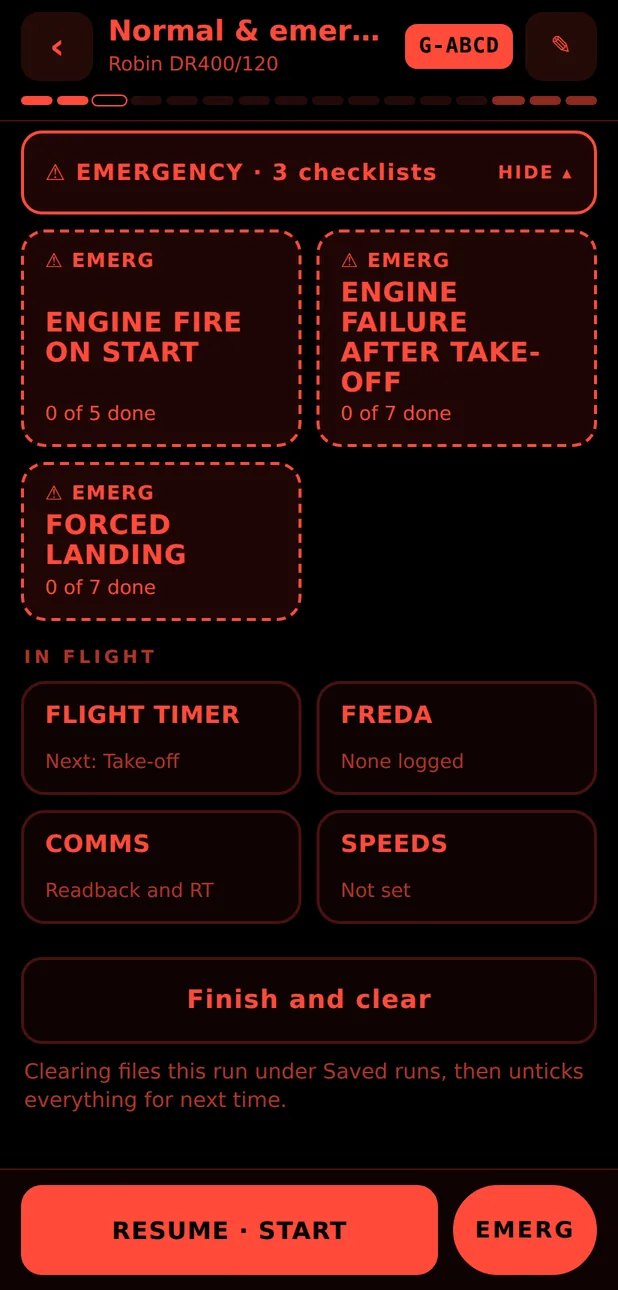
What it looks like in use
What it does
Everything in one place, nothing in the way
- Big section tiles: tap the phase of flight, tick the items, back to the grid with the next one lit.
- A red EMERG button on every screen, with emergency drills one tap away.
- Make a checklist by hand, from a template, by pasting text, from a PDF or by photographing a paper one.
- Refuel stops and touch and goes: add the sections again with one tap, as often as you need.
- Radio readback boxes, a FREDA log, a speeds card and a flight timer that can note your position.
- Light, dark and red night themes. Works with no signal once it is on your phone.
- No account. Your checklists and flight logs stay on your device.
Getting started
Three steps
Try the demo
Open the app in your phone's browser. A sample checklist is ready to run. Nothing is saved in the demo.
Buy once
£6.99 by card. Your licence key appears on screen and is emailed to you. It covers five of your own devices.
Make it yours
Build your checklist by hand, start from a template, or photograph the paper one you already use. Then check every line against your flight manual.
The library
Checklists shared by other pilots
Licence holders can take reviewed checklists from a small library and adapt them, and can send their own in. Every entry is read by a person before it is published, and none of them replaces your own aircraft's documents.
Phones
iPhone and Android
Checklist is a web app today: open it in Safari or Chrome and add it to your home screen, and it behaves like any other app, offline included. An Android app is in testing. App store versions are planned.
Questions
Straight answers
Does it replace my aircraft's checklist or flight manual?
No. It is a memory aid for running a checklist you have built or chosen. Your aircraft's flight manual (POH or AFM) is the authority, and you must check every line and figure against it.
Does it work without signal?
Yes. Once the app has loaded on your phone it runs offline, including reading a photographed checklist. The library and buying need a connection.
iPhone or Android?
Both. Today it is a web app: open it in your browser and add it to your home screen. An Android app is in testing, and the app stores come after that.
How does buying work?
Try the demo first. If you like it, pay £6.99 once by card. You are shown a licence key and we email you a copy. The key unlocks the app on up to five of your own devices.
Can I get my money back?
Yes. Ask within 14 days of buying, for any reason, and we refund you in full.
Where can I buy it?
Web sales are for UK buyers for now.
What happens to my data?
Your checklists, flight logs and positions stay on your device. We hold only what is needed for the licence: the email you paid with, your key and the devices it is used on. The privacy policy has the full list.
Something else? hello@flyingislife.com